BACK
Celebration modal —
A Framer component for meaningful form feedback
Mar 2026(2 weeks)
personal project
Claude code, Framer
In this case study, I talk about this modal I've made using Claude code(Try it!) Still curious on how I made it? Better keep on reading!
The problem
Forms that go silent break trust
I once submitted a form and had no idea if anything happened. No feedback, no state change. I pressed the button again and again, growing more frustrated with each click. It's one of those small UX failures that feels completely invisible to the builder but genuinely damages the person using it.
The insight was simple: a form submission isn't just a data event. For the user, it's the end of an effort. Signing up, applying, requesting something… These carry a tiny emotional weight. If the interface meets that moment with silence, it feels like the effort wasn't received.
Design thinking
Designing for emotional closure
The design question wasn't just "how do I confirm this worked?"
It was: what does it feel like to be done? Completion deserves acknowledgment. Not a toast that fades in 2 seconds, and not an inline text swap. A moment.
Three principles shaped every decision:
Unmistakable over subtle
A modal with confetti is impossible to miss. The signal had to match the importance of the action — subtle feedback would still leave doubt.
Delight is a byproduct, not the goal
A modal with confetti is impossible to miss. The signal had to match the importance of the action — subtle feedback would still leave doubt.
designers need control
The component had to adapt to any brand. Every visual element — colors, copy, emoji, particle count, backdrop blur — is exposed as a Framer property control.
Build process
How AI accelerated without replacing judgment
AI was a collaborator in the build, not a code generator to rubber-stamp. The design decisions — what to build, why, and how it should feel — came first. AI handled the parts that would have been slow or brittle by hand.
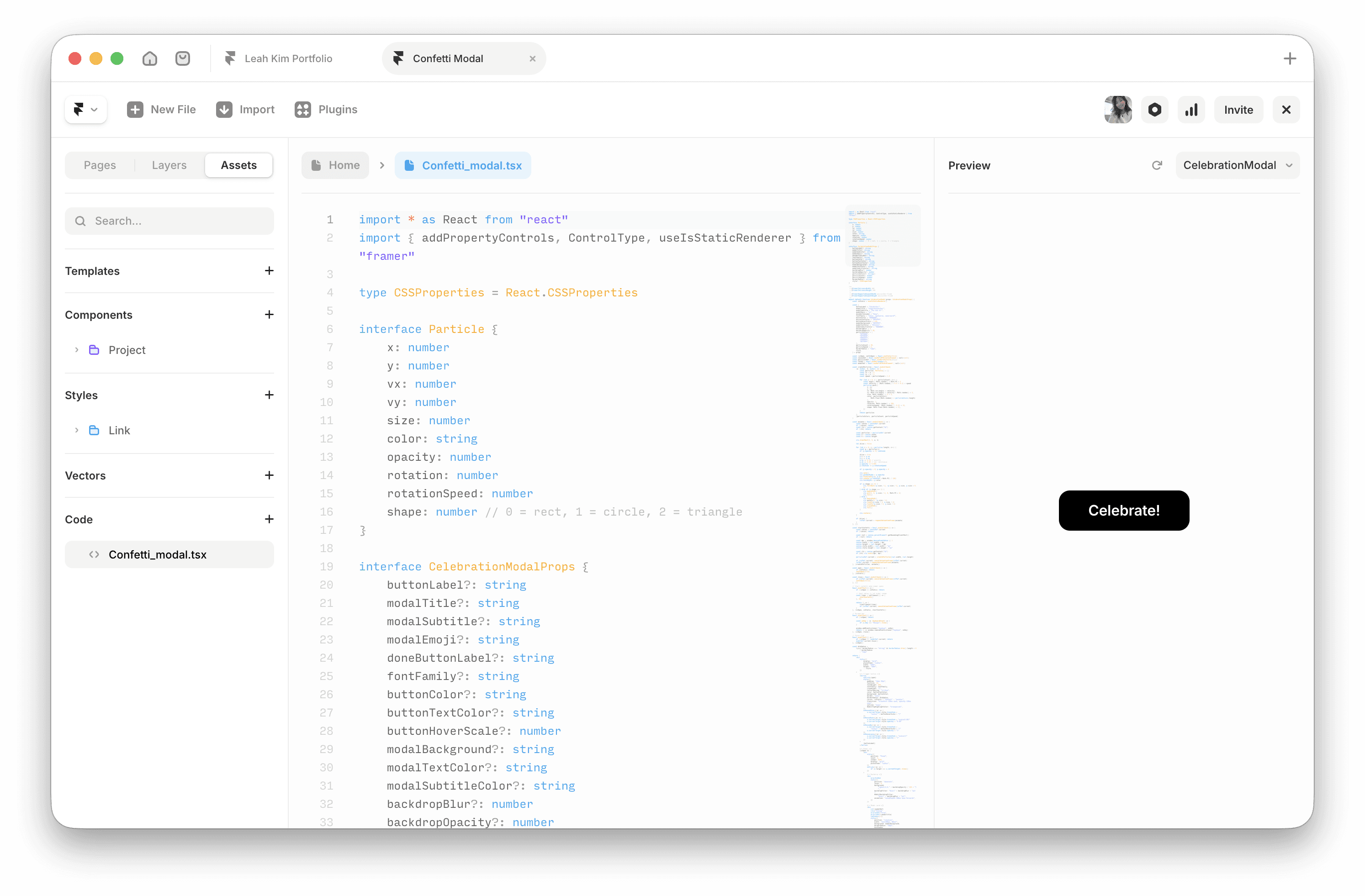
The particle system was the heaviest engineering lift. Each of 80 confetti pieces tracks position, velocity, gravity, air resistance, rotation, and opacity across three shapes. Specifying the behavior precisely and having AI scaffold the loop let me focus on tuning the feel: how fast the particles burst, how long they hang, when they fade. That iteration would have taken much longer without AI in the loop.
The Framer addPropertyControls API has a lot of boilerplate for typed controls. AI wrote the first pass, I adjusted the ranges and defaults based on what actually looked right in the canvas preview.
Listing on the marketplace
Publishing on Framer marketplace
Getting the component marketplace-ready required more than working code. Framer's ecosystem expects components to behave correctly in both static preview and live preview modes.
The listing focused on the use case, not the feature list. Designers searching the marketplace aren't looking for "animated canvas modal" they're looking for a way to improve post-submit UX. Leading with the problem ("no more silent form submissions") over the solution made the listing land.

outcome
First ever sale! 📣🎉
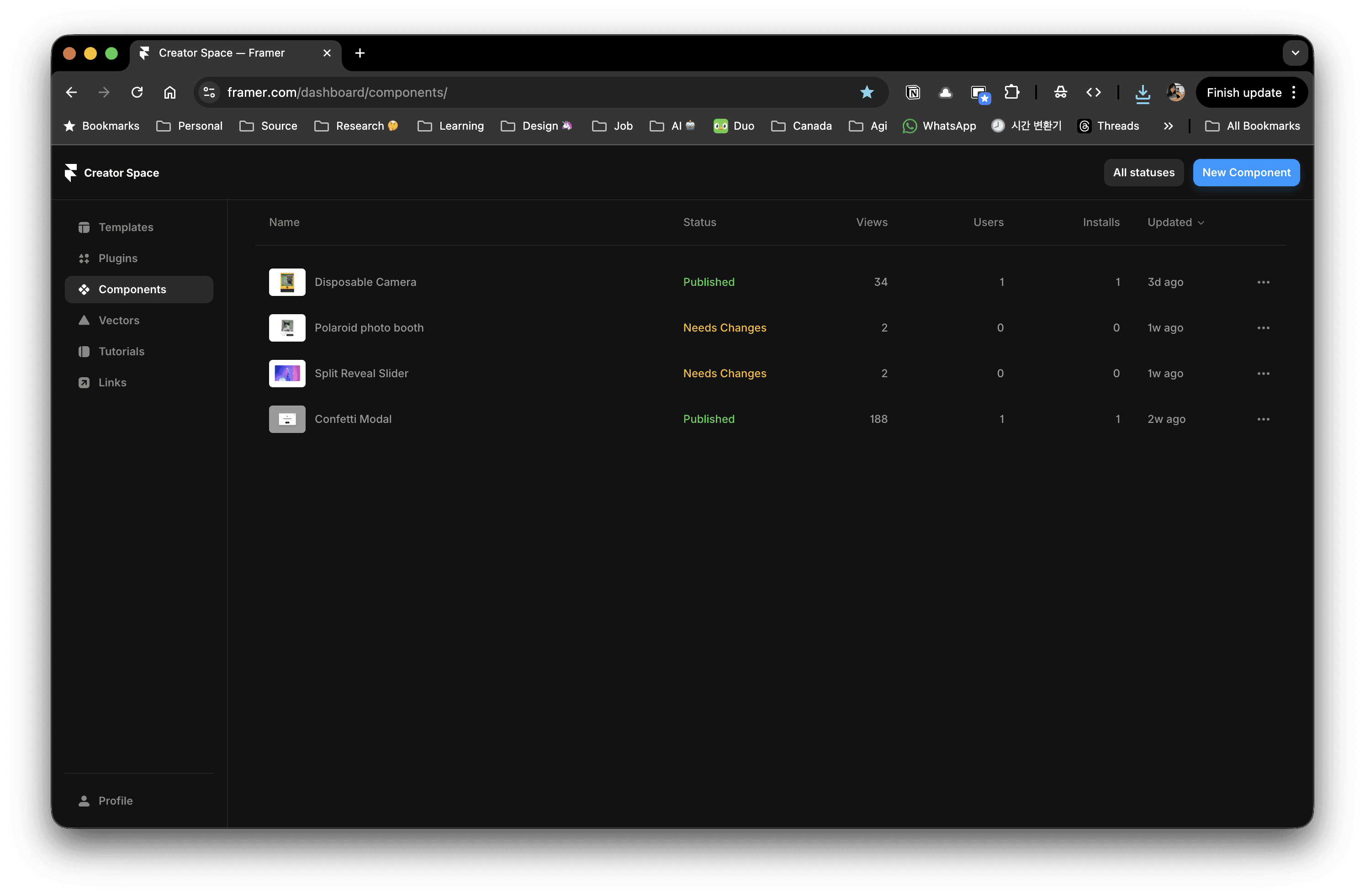
The first sale confirmed something: the problem was real, not just personal. Someone else also needed their form submissions to feel like an acknowledgment, not a void. That's the validation that matters! Not the revenue, but the proof that the design question was worth answering.